Multi-brand content studio

Five brands post every day.
This is the studio they post from.

Add your brand, correct what Studio says it stands for, and every piece it makes has to argue that — reviewed by you, scheduled to your channels, and yours to download either way.

Free plan, no card. Nothing is published until you approve it, and failed renders are never charged.

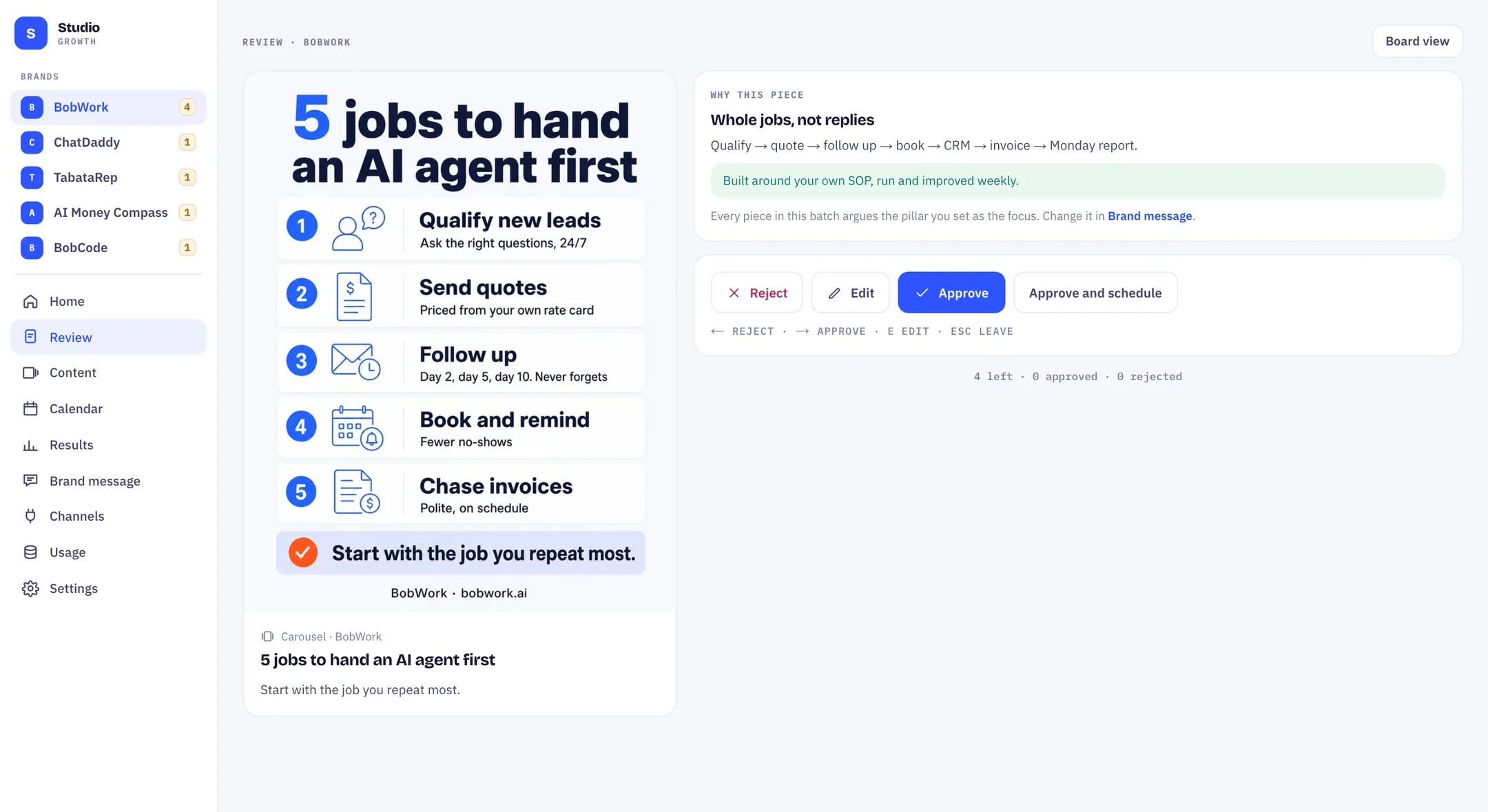
The Studio review deck: a finished carousel on the left, and on the right the pillar it argues with its proof, above reject, edit and approve
617 credits left4 waiting on you

Who runs on it

BobWorkbobwork.aiAI agents for SMEs
ChatDaddychatdaddy.techWhatsApp for teams
TabataReptabatarep.comInterval training app
AI Money Compassaimoneycompass.comPersonal finance app
BobCodeusebobcode.aiAgent workbench

These are our own five brands, not customers of ours. Studio is the tool we built to keep them posting, and it is the same build you would sign into — not a demo of something we do not use.

The difference

Most tools make posts. This one makes an argument.

Before anything is made, Studio reads your site and writes down what your brand stands for — the line you own, who it is for, and the four arguments you will keep making, each with the proof that backs it. You mark one as the focus for the week.

From then on, every piece has a reason to exist. When it reaches your review deck it shows you which pillar it argues and the proof it carries, so approving is a judgement about the argument, not a guess about a picture.

Why this piece

Whole jobs, not replies

Qualify → quote → follow up → book → CRM → invoice → Monday report.

Built around your own SOP, run and improved weekly.

BobWork’s own pillar, exactly as it appears in the deck above.

The brand message screen: the positioning line, audience, four pillars each with a proof line, and a never-say list
Brand message · the line, four pillars, and what never to say

Real pieces

Five brands, five arguments, one afternoon.

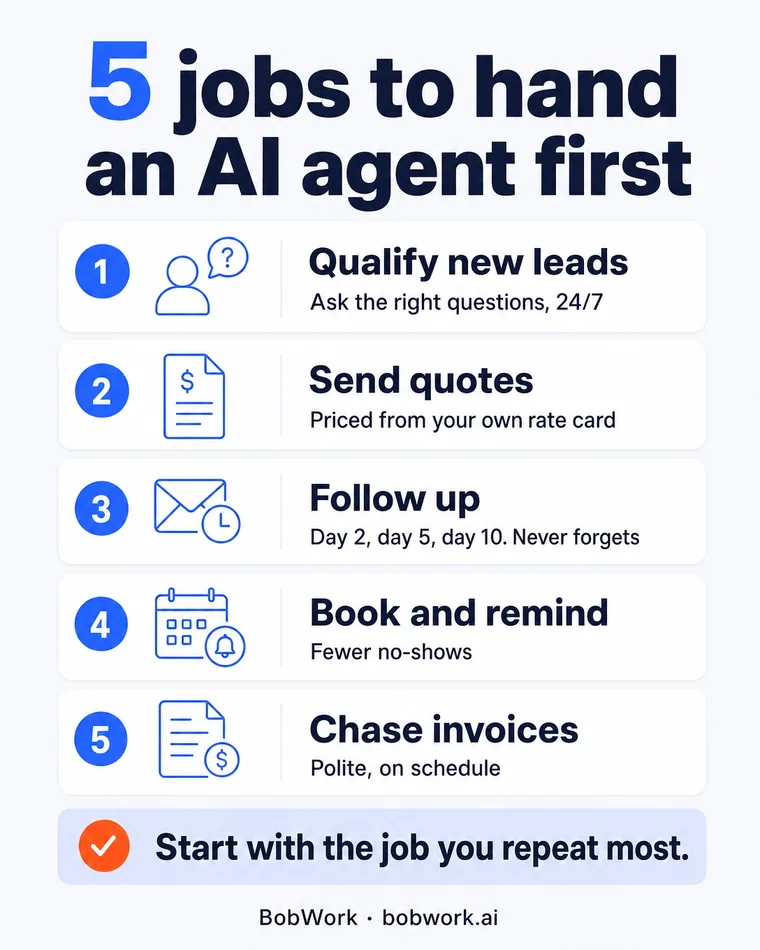
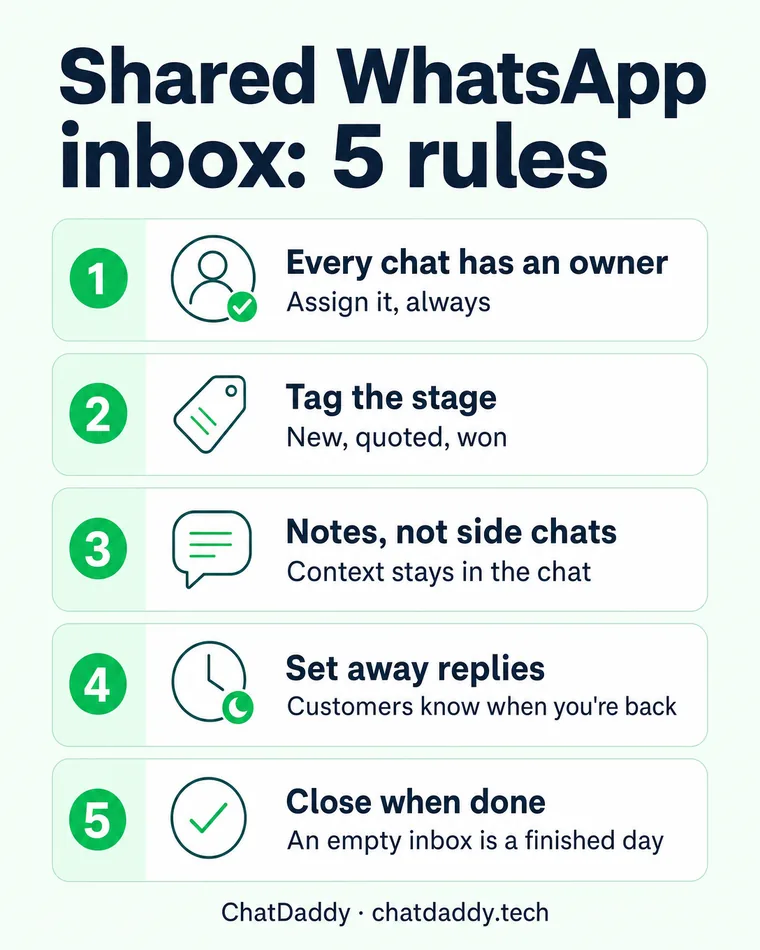
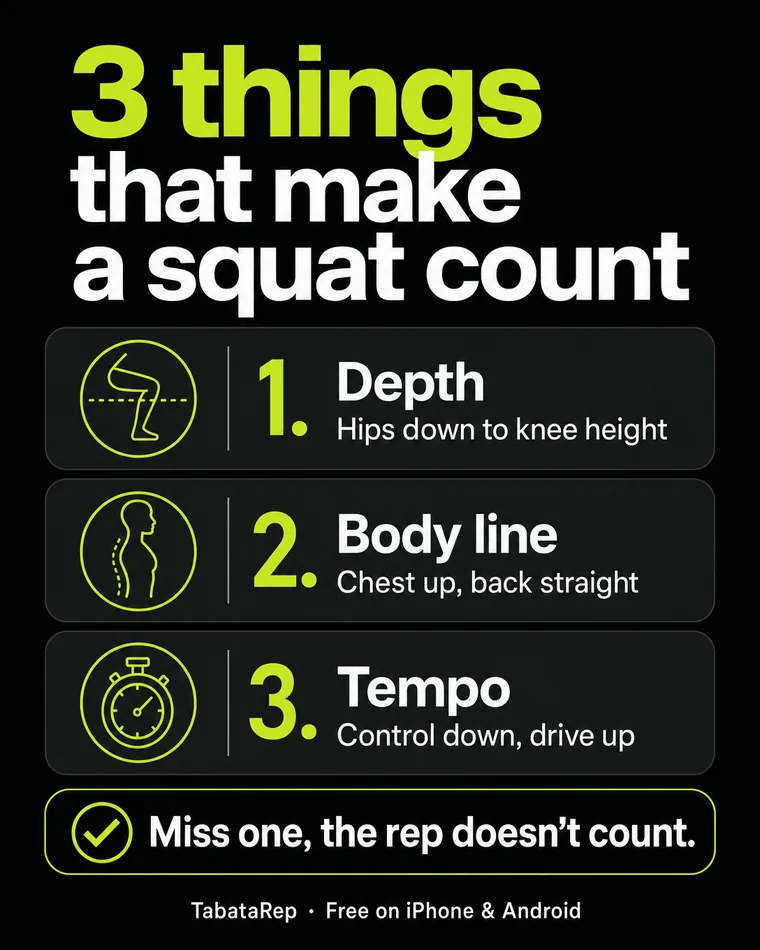
Every one of these was made in Studio for one of the brands above and posted. Each teaches a single thing and ends on that brand’s own call to action.

BobWork carousel made in Studio
BobWork · Carousel · agent workflows
ChatDaddy carousel made in Studio
ChatDaddy · Carousel · shared inbox
TabataRep carousel made in Studio
TabataRep · Carousel · form coaching
AI Money Compass carousel made in Studio
AI Money Compass · Carousel · money habits
BobCode carousel made in Studio
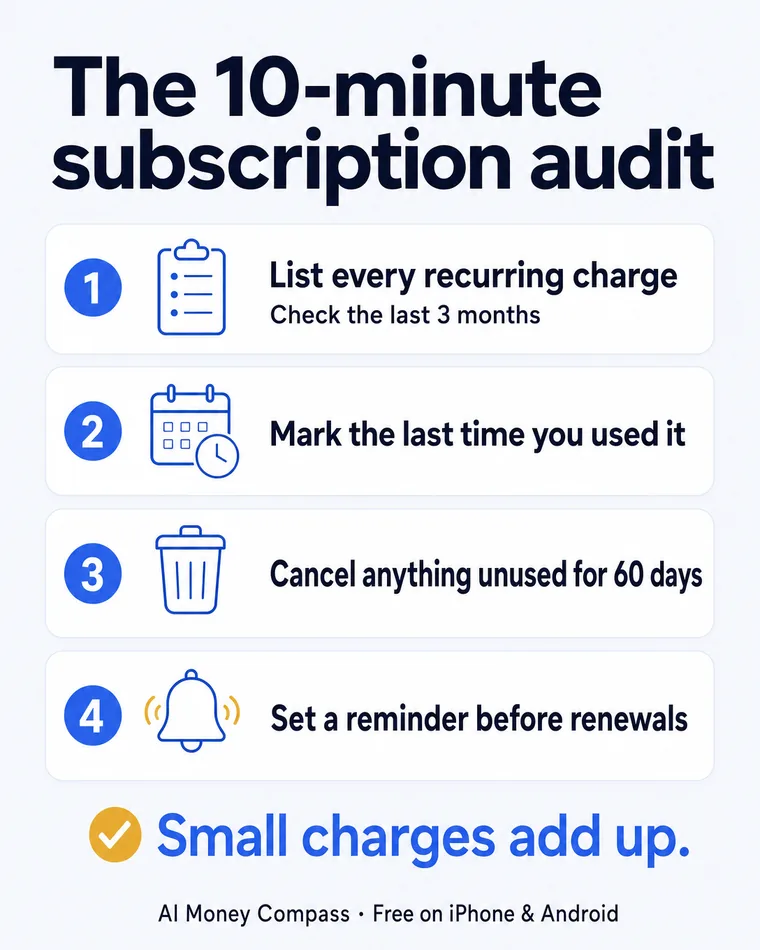
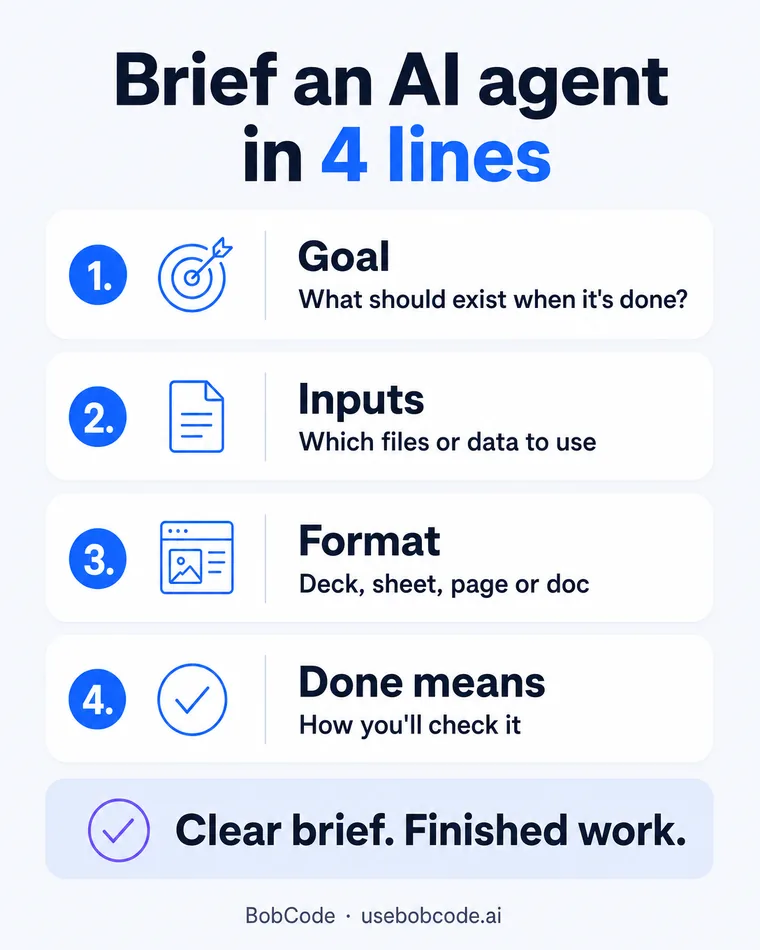
BobCode · Carousel · briefing an agent
Your content stays yours. Download any piece at full resolution, with or without a connected channel.

How it works

Four steps, and the week is booked.

The longest part is deciding what your brand actually stands for — and Studio drafts that for you to correct.

01

Paste your website address

Studio reads the site and drafts what your brand stands for: the positioning line, who it is for, what you promise, the four arguments you will keep making, and the claims you must never make. Every line traces back to something you already published — nothing is invented.
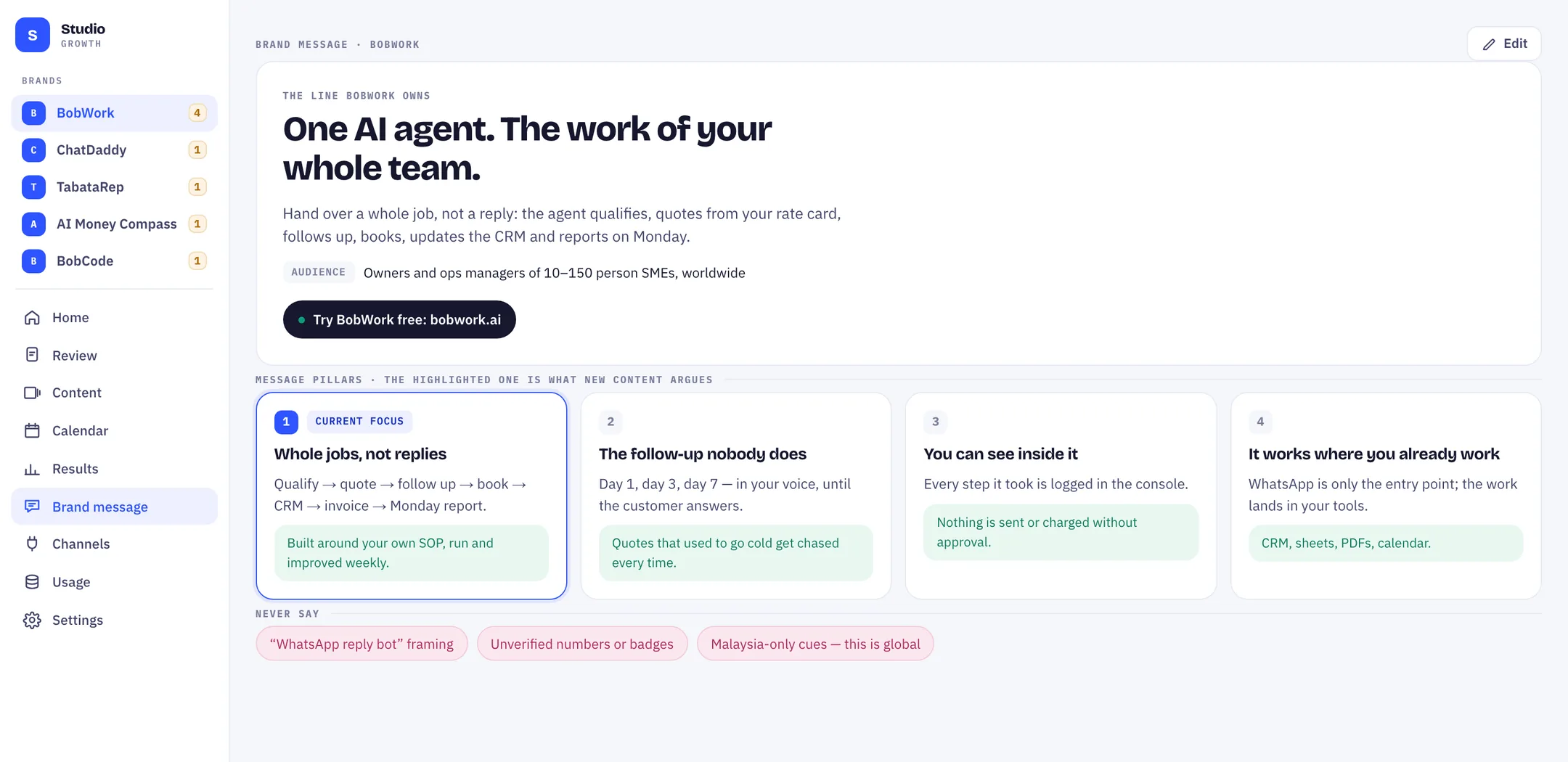
The brand message screen: positioning line, audience, four message pillars with proof, and a never-say list
02

Correct it, and pick the pillar of the week

This is the part worth your ten minutes. The pillar you mark as the focus is the argument every new piece has to make, so a week of content stops being a week of unrelated posts.

The review deck, showing the piece on the left and why it was made on the right
03

Approve the week in one pass

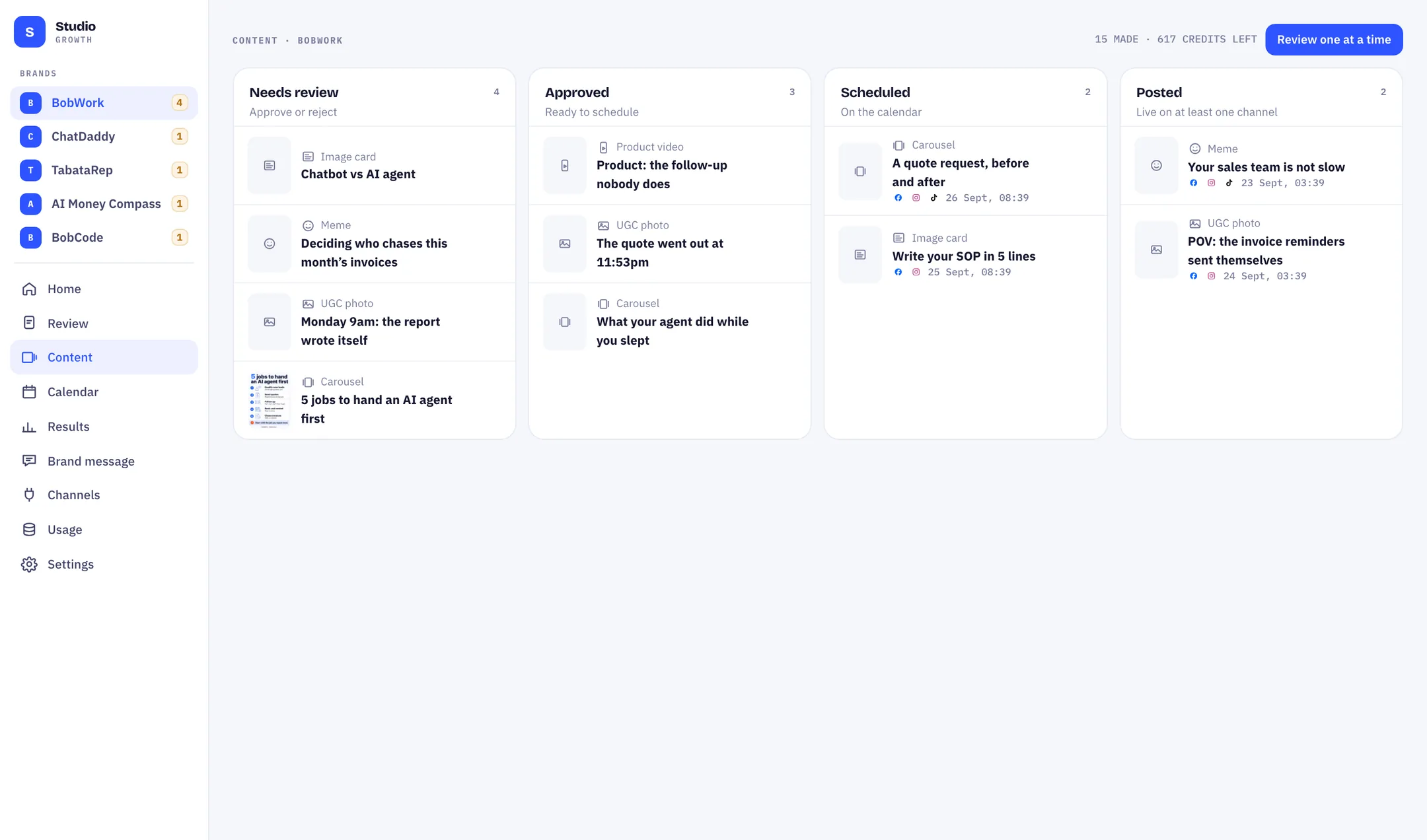
Each piece arrives with the pillar it argues and the proof attached. Reject, edit, approve, or approve and schedule — by keyboard if you like. Nothing is published until you say so.

The content board: needs review, approved, scheduled and posted columns
04

Let the calendar run it

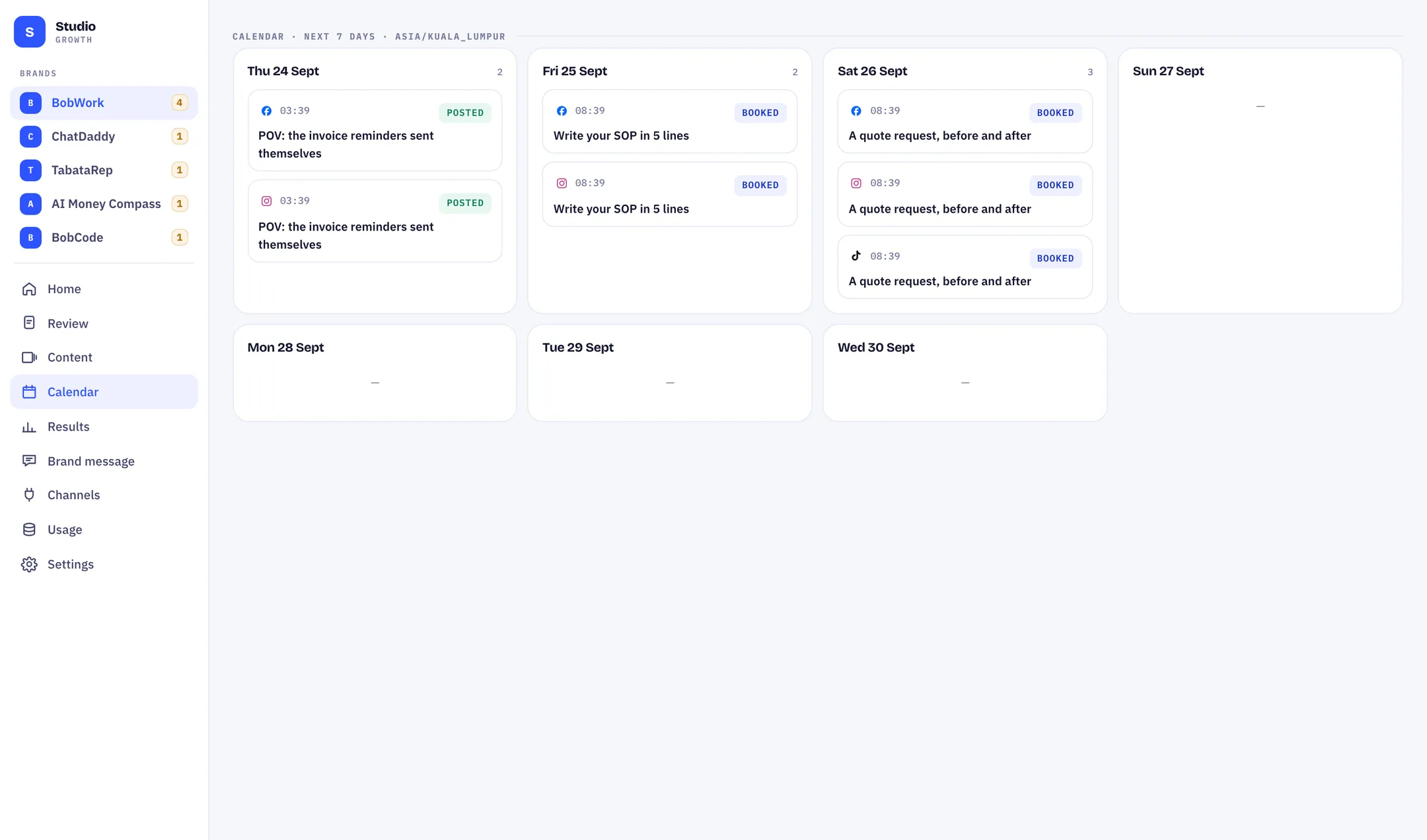
Approved pieces drop into your daily slots in your brand's own timezone, each slot posting to its own channels. Afterwards you get views, reach and follows per post — or you download the file and post it by hand.

The seven-day calendar, with booked and posted slots per platform

What you get

The parts that make content worth posting.

One message, every piece

Each piece argues one pillar of your brand message and carries the proof for it. Anything on your never-say list is caught at review, not after it is posted.

Six kinds of piece, one place

Memes, product videos, UGC photos, infographics, AI video and carousels — made for your brand from your message, not pulled off a template shelf.

A calendar in your timezone

Set the daily plan once. Approved pieces fill the slots, and each slot posts to its own channels on the day it is meant to.

Several brands, side by side

Each brand keeps its own message, plan, channels and calendar. Switching between them is one click, and the credits come out of one pool.

The files are yours

Download any piece at full resolution whether or not a channel is connected. Nothing is watermarked and nothing is held back on the free plan.

You can see the meter

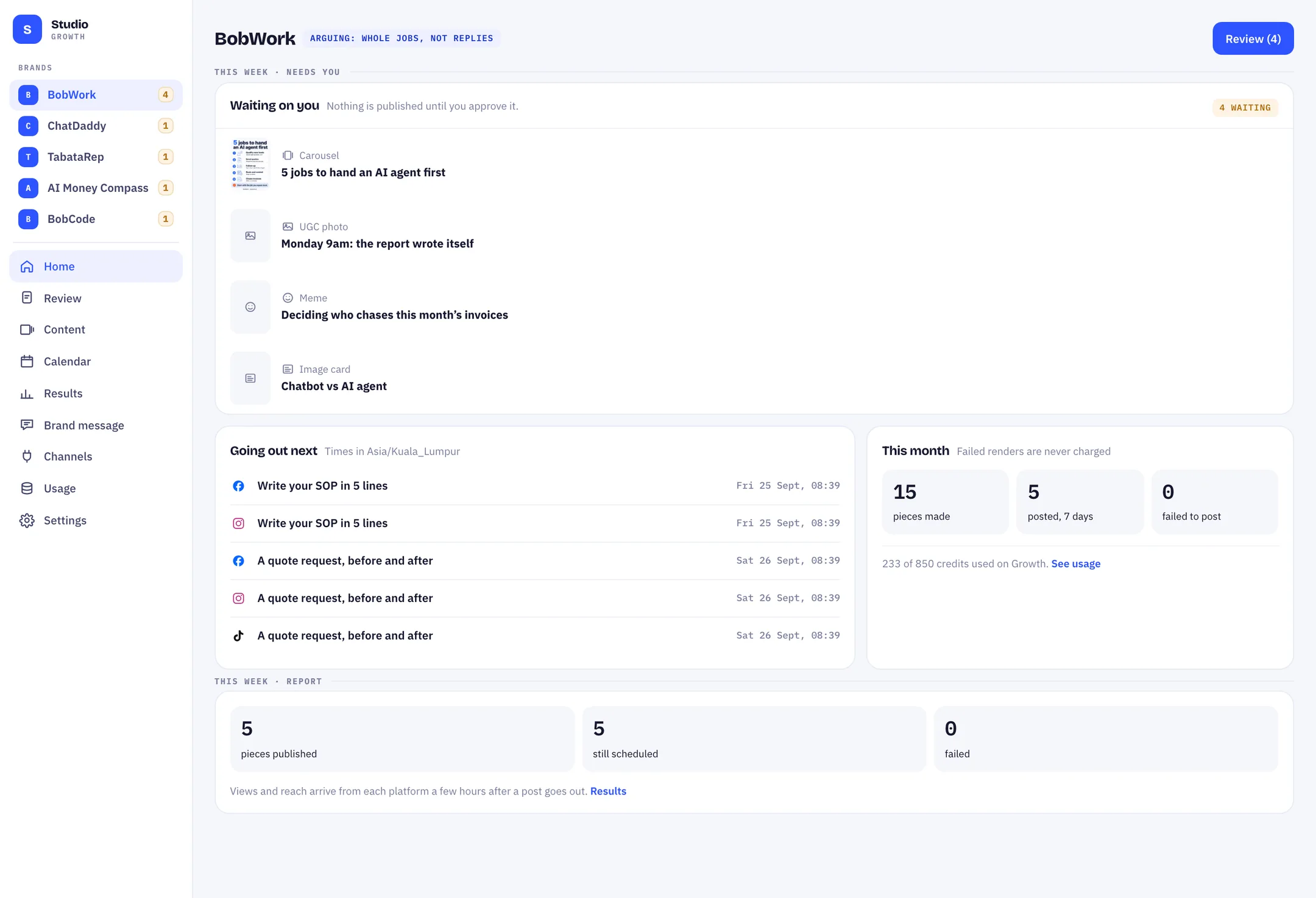
Credits left, what each kind of piece costs, and every generation listed with what it spent. Failed renders are never charged.

The Studio home screen: what is waiting on you, what goes out next, and this month's credits
Home · what needs you, what goes out next, and what it has cost this month

Honest status

What works today, and what is still on its way.

Posting on your behalf depends on approvals we do not control, and we would rather you read that here than discover it after you have signed up.

Live today

  • Brand message drafted from your own site, then edited by you
  • The review deck, with the pillar and proof on every piece
  • Board, seven-day calendar and per-brand daily plans
  • Credits, rate card and top-ups — visible before you spend
  • Full-resolution download of everything, on every plan

Still on its way

Generation inside the app

Your first week is produced from the message you confirm and lands in your review deck. The render queue is still run by our side while we finish wiring it into the app.

Posting to Facebook and Instagram

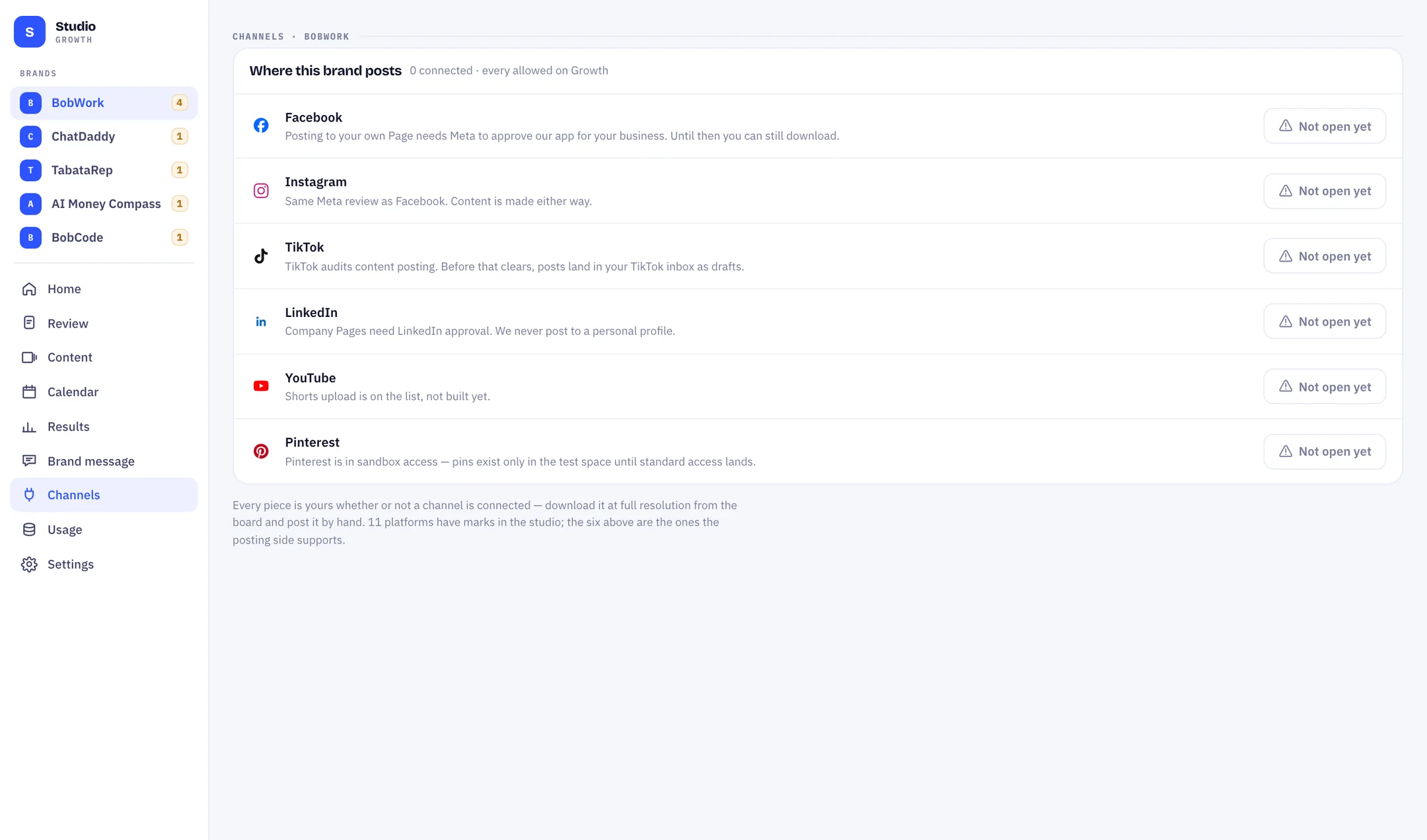
Meta has to approve our app for your business before we can publish to your Page. Until that clears, the content is still made — you download it and post it.

TikTok, LinkedIn, YouTube, Pinterest

TikTok posts land in your inbox as drafts until the content-posting audit clears. LinkedIn needs company-page approval. YouTube Shorts is not built yet, and Pinterest is still in sandbox.

Paying for a plan

Changing plan and buying credits are not wired to billing yet. Start on the free plan; if you need more, email us and we move you across by hand. The product says the same thing on the usage screen.

The channels screen, saying plainly which platforms are open and which are waiting on platform approval
The same caveats are written inside the product, on the channels screen

What a piece costs

The meter is published, down to the piece.

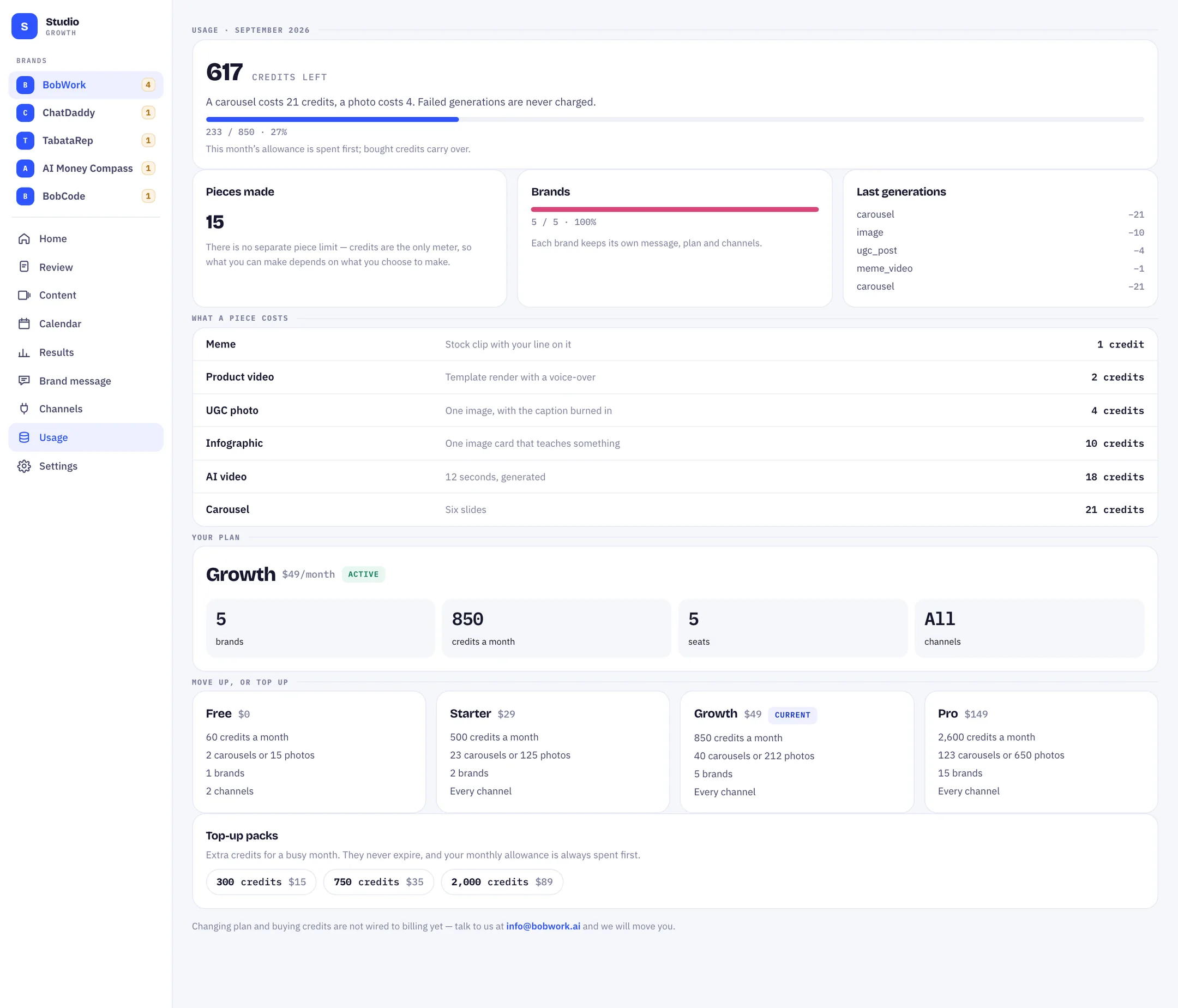
Credits are the only meter — there is no separate piece limit, so what you can make depends on what you choose to make. A carousel is the most expensive thing in the studio; a meme is the cheapest. You can see this table inside the app too, next to what you have left.

PieceWhat it isCredits
MemeStock clip with your line on it1
Product videoTemplate render with a voice-over2
UGC photoOne image, with the caption burned in4
InfographicOne image card that teaches something10
AI video12 seconds, generated18
CarouselSix slides21
A render that fails costs you nothing — it is logged, and no credits leave your balance.
The usage screen: credits left, this month's spend, the rate card, and the current plan
Usage · every generation, what it cost, and what is left

What you will not find here

The numbers we could have put on this page.

Every tool in this category opens with proof it cannot show you the working for. We have none of it yet, so here is the honest version instead.

“50,000+ businesses”

Five brands, named, with their websites next to them.

“36.2m views generated”

No totals, because ours would be small and yours would be made up.

A wall of borrowed client logos

The five above are the only ones we can honestly show.

Screenshots of five-star testimonials

None yet. When a customer says something, it goes here with their name.

Pricing

Start free on one brand. Move up when it earns it.

Every plan sees the same rate card and the same balance. Credits you buy on top carry over; the monthly allowance is spent first. Start on the free plan — moving up is an email to us until billing is wired.

Starter
$29 per month
  • 2 brands
  • 500 credits a month
  • 23 carousels or 125 photos
Pro
$149 per month
  • 15 brands
  • 2,600 credits a month
  • 123 carousels or 650 photos

Start with one brand and a free week.

Sign in, paste your site, and look at what it drafts. If the message is wrong, fix it in a minute — that is the whole point of writing it down first.

Free plan, one brand, no card. Nothing is published without your approval.